A stored cell ID looks reassuringly permanent. It is an integer, it still passes validation, and a join on it still runs. After the A5 extension moves to A5 1.0, however, an old ID can name a different place.
That is the first thing to deal with in this update. The new index also makes sets of cells much more useful: coverings retain their resolution, set operations work directly on them, and new spatial hierarchy functions answer questions that the existing parent and child functions could not.
Migrate IDs before mixing old and new data
A5 1.0 orders cells along a new curve. At resolution 2 and finer, IDs produced by previous versions need a5_migrate. The function converts an old ID into the new index:
SELECT a5_migrate(old_cell_id) AS cell_idFROM observations;Here, observations.old_cell_id must contain only pre-1.0 IDs. Apply the conversion once. There is no version bit that lets the extension distinguish a migrated ID from an old one, so running the same conversion twice will corrupt the mapping.
For a stored dataset, keep its index version with the dataset and migrate the existing rows before appending freshly indexed ones. Checking that IDs are well formed cannot detect a mixed-version column.
Resolution 1 needs a different approach. Its cell shapes changed, while a5_migrate leaves those IDs alone. Recompute them from the source coordinates:
SELECT a5_lonlat_to_cell(longitude, latitude, 1) AS cell_idFROM observations;The migration guide covers both cases. Longitude comes first, as it did before.
A covering knows how detailed it is
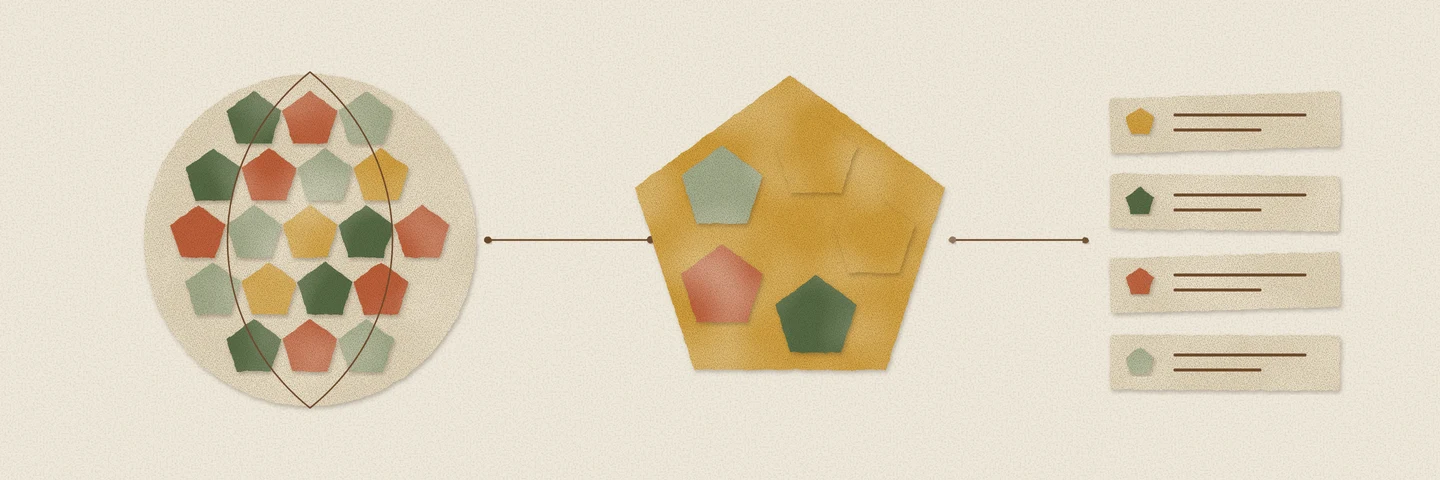
Suppose a region contains every child of a cell. A5 can store their parent instead, then repeat that operation farther up the hierarchy. That makes the region’s representation smaller. But the parent alone cannot tell you whether the original region was expressed at resolution 6 or resolution 12.
A5 1.0 solves that with a compaction marker at the end of a covering. The marker records the resolution. It is a UBIGINT, like the cell IDs around it, but it is not itself a cell.
That changes how a query should count and expand a neighborhood:
WITH neighborhood AS ( SELECT a5_grid_disk( a5_lonlat_to_cell(-74.0060, 40.7128, 15), 1 ) AS cells)SELECT a5_count(cells) AS cell_count, a5_covering_resolution(cells) AS resolutionFROM neighborhood;| cell_count | resolution |
|---|---|
| 6 | 15 |
For these coordinates, the stored list has three compacted cells and a marker. Its length is four, although it represents six cells. len(cells) answers a storage question; a5_count(cells) answers the geographic one.
Expand a covering before treating its elements as individual cells:
SELECT unnest(a5_uncompact(a5_grid_disk( a5_lonlat_to_cell(-74.0060, 40.7128, 15), 1))) AS cell_id;a5_uncompact now takes just the covering. The old second argument specifying a resolution is gone, because the covering carries that information. This applies to compacted lists, grid disks, spherical caps and polygon coverings. If you deliberately need the compacted cells themselves, remove the marker with a5_is_compaction_marker instead of expanding them.
Combine regions without expanding them first
The new set functions work on coverings:
| Function | Question |
|---|---|
a5_union(a, b) |
Which cells occur in either region? |
a5_intersect(a, b) |
Which cells occur in both? |
a5_difference(a, b) |
Which cells occur in the first but not the second? |
a5_overlaps(a, b) |
Do the regions share a cell? |
a5_contains(cells, cell) |
Does the region contain this cell? |
a5_area(cells) |
How much area, in square metres, do the cells cover? |
For example, count the cells shared by two neighborhoods:
WITH regions AS ( SELECT a5_grid_disk(a5_lonlat_to_cell(-74.0060, 40.7128, 15), 2) AS a, a5_grid_disk(a5_lonlat_to_cell(-74.0055, 40.7130, 15), 2) AS b)SELECT a5_count(a5_intersect(a, b)) AS shared_cellsFROM regions;The operands must have the same resolution. A cell overlap is also a grid approximation; it does not replace an exact polygon intersection when a boundary matters.
Parent and containing cell are different questions
A5’s cells do not nest exactly across resolutions. a5_cell_to_parent follows the index hierarchy, so that parent need not geographically contain the finer cell’s centre.
a5_cell_to_supercell(cell, resolution) finds the coarser cell containing the centre. In the other direction, a5_cell_to_subcells finds finer cells whose centres fall inside the original cell. Use these when the relationship you need is spatial. Keep parent and children for index rollups.
The update also makes a5_get_num_cells exact at the finest resolutions and allows the world cell, resolution −1, in the hierarchy functions that support it. The 1.0 change and SQL tests pin the changed IDs, covering behavior and function results.
Install the DuckDB 2.0 build from the Query Farm extension repository. Before updating a pipeline that stores IDs, read the migration guide and decide how you will record the one-time conversion. The new set functions are useful; keeping the existing map attached to the right places comes first.